Every brag needs a receipt.
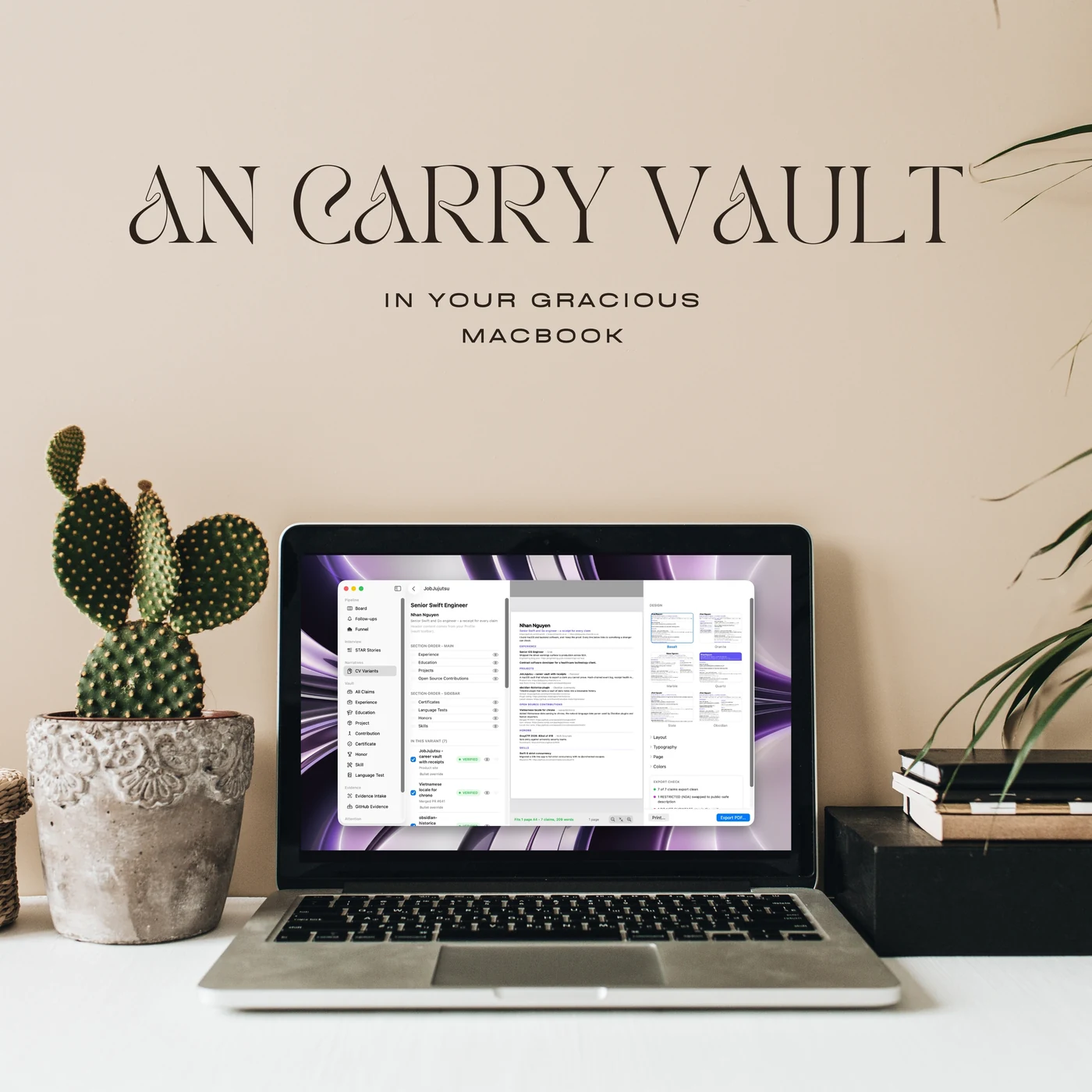
Keep your wins and the proof behind them in one place on your Mac. When it is time to send a CV, only the stuff you can back up goes out the door.
Requires macOS 15 or later
Receipts
Four colors, one rule.
Every line about your career gets a color. Green ships, orange gets flagged, purple gets censored, red stays home. Same rule in every export, every time.
Green means go
Proof is attached and the link still works. Green claims are the only ones the app will ever put on a CV for you.
Orange gets called out
You attached something but nobody has checked it yet. The export sheet names every orange claim to your face, so a half-baked line never sneaks onto a resume.
Purple keeps the secret
For NDA work. You write the full story for yourself and a safe short version for everyone else. Only the safe one ever leaves.
Red stays home
Salary notes, awkward feedback, things that are yours alone. Mark it red once and no export format will ever touch it again.
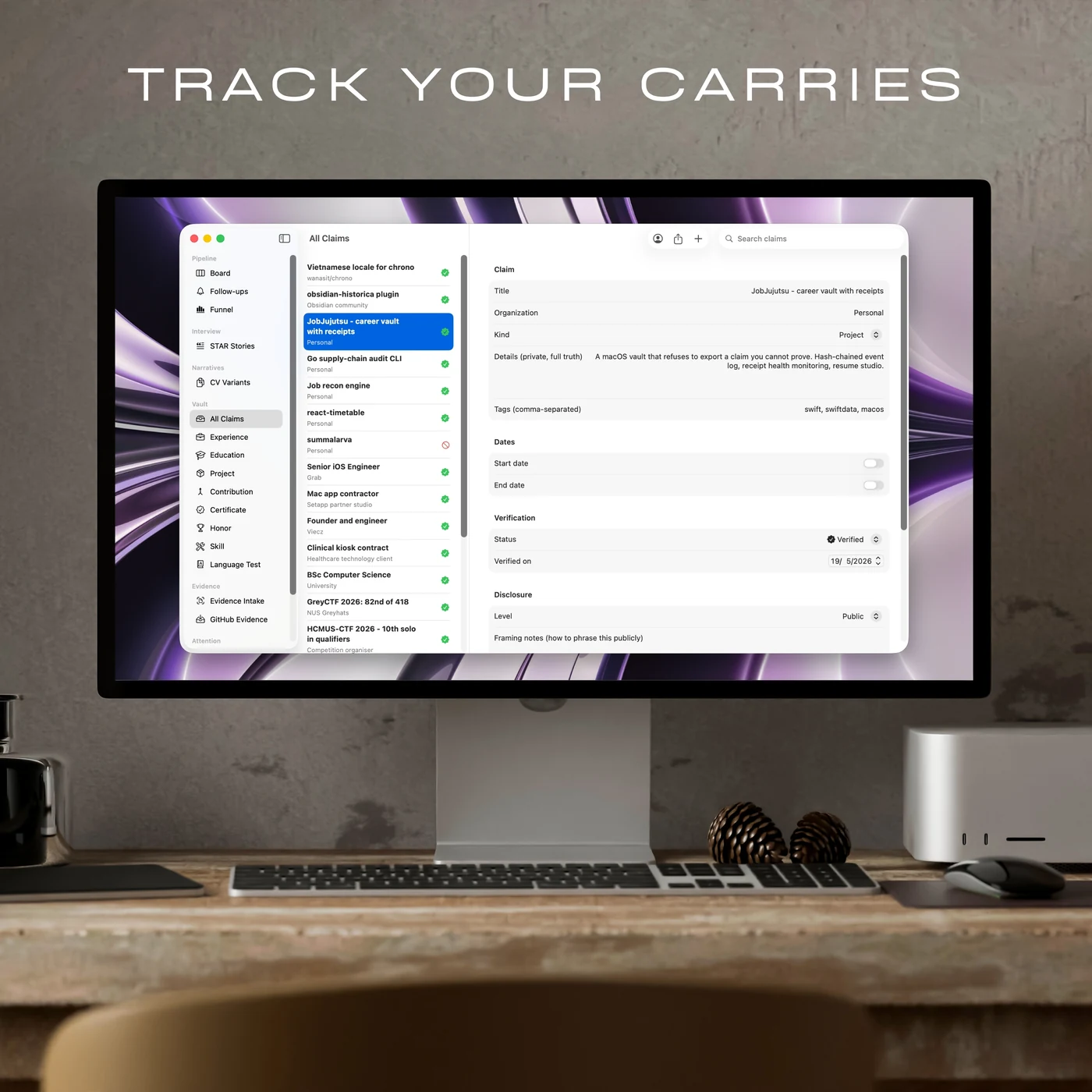
Your claims
Two truths per claim, one link to prove it.
Each claim keeps the real story for you, and a shorter version you are happy for a stranger to read. The app never mixes them up.
Turning a claim green takes a working link and a date. You decide per claim how much of it the world gets to see, so the app always knows which sentence it is allowed to print.
Export
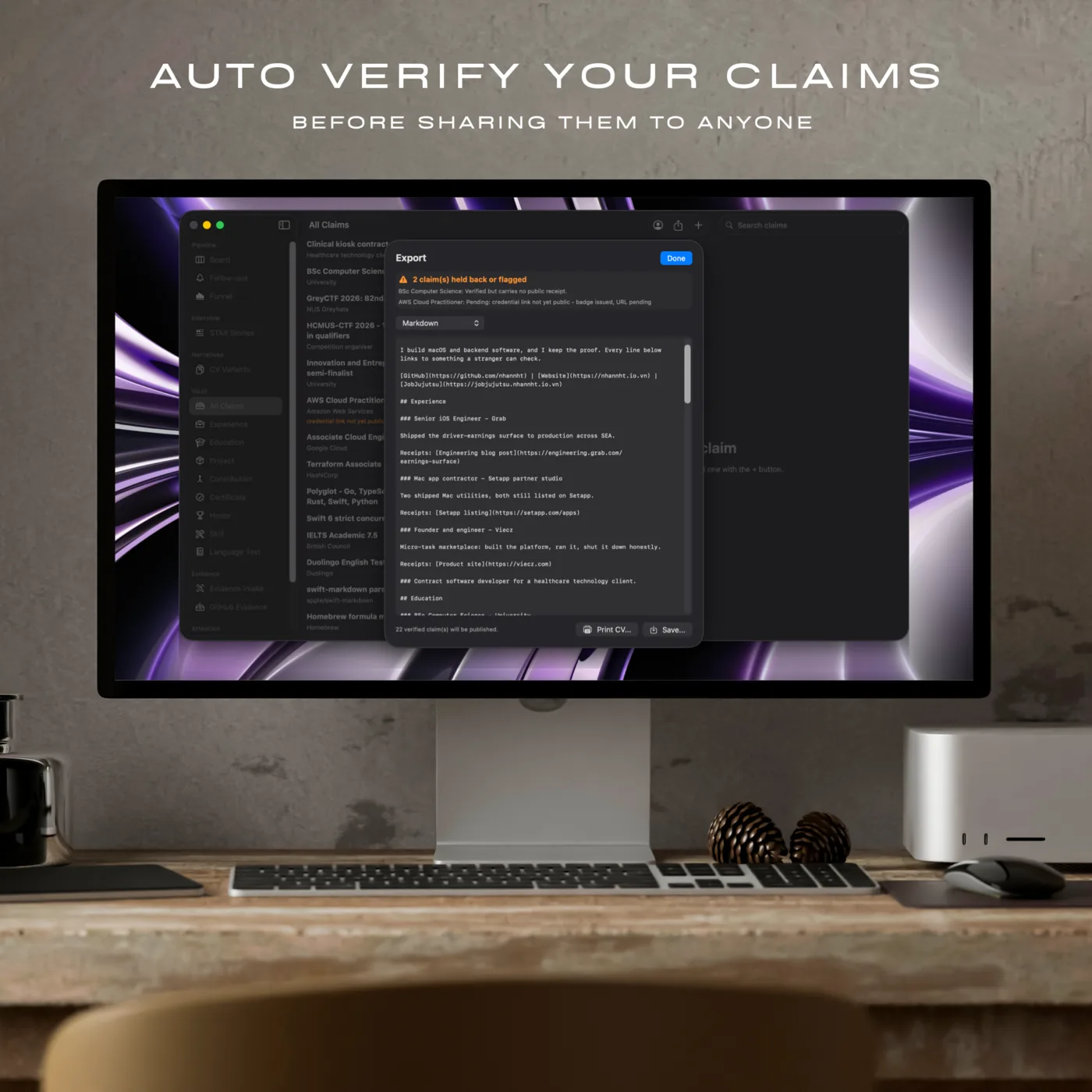
It shows you what it left out.
Markdown, JSON Resume, and four presets for the usual job sites. Before a single word leaves, the sheet lists what it held back and tells you why.
The bouncer
Nothing gets out without ID.
- Green claims go out, with their links attached
- Orange claims get held back, and the sheet names them
- Purple claims shrink to the safe version you wrote
- Red claims stay home, in every format, every time
This check is the whole point of the app, so every format gets it. There is no back door, no quick export that skips the queue.
Getting proof in
Drag it in and you are done.
Collecting receipts should be the boring easy bit. Drop a file, check what the app read off it, click attach.
Screenshot in, words out
Certificates, award emails, dashboards. Your Mac reads the text off them the second they land, and you get the last word on every line before it counts as proof.
certificate-2026.png
"AWS Certified Solutions Architect"
"Issued February 2026"
Read on your Mac. Take a look, then attach.
Your GitHub, already sorted
Point it at your GitHub and it lines up your merged work, ready to attach. A merged PR is the kind of proof a stranger can click on and see for themselves.
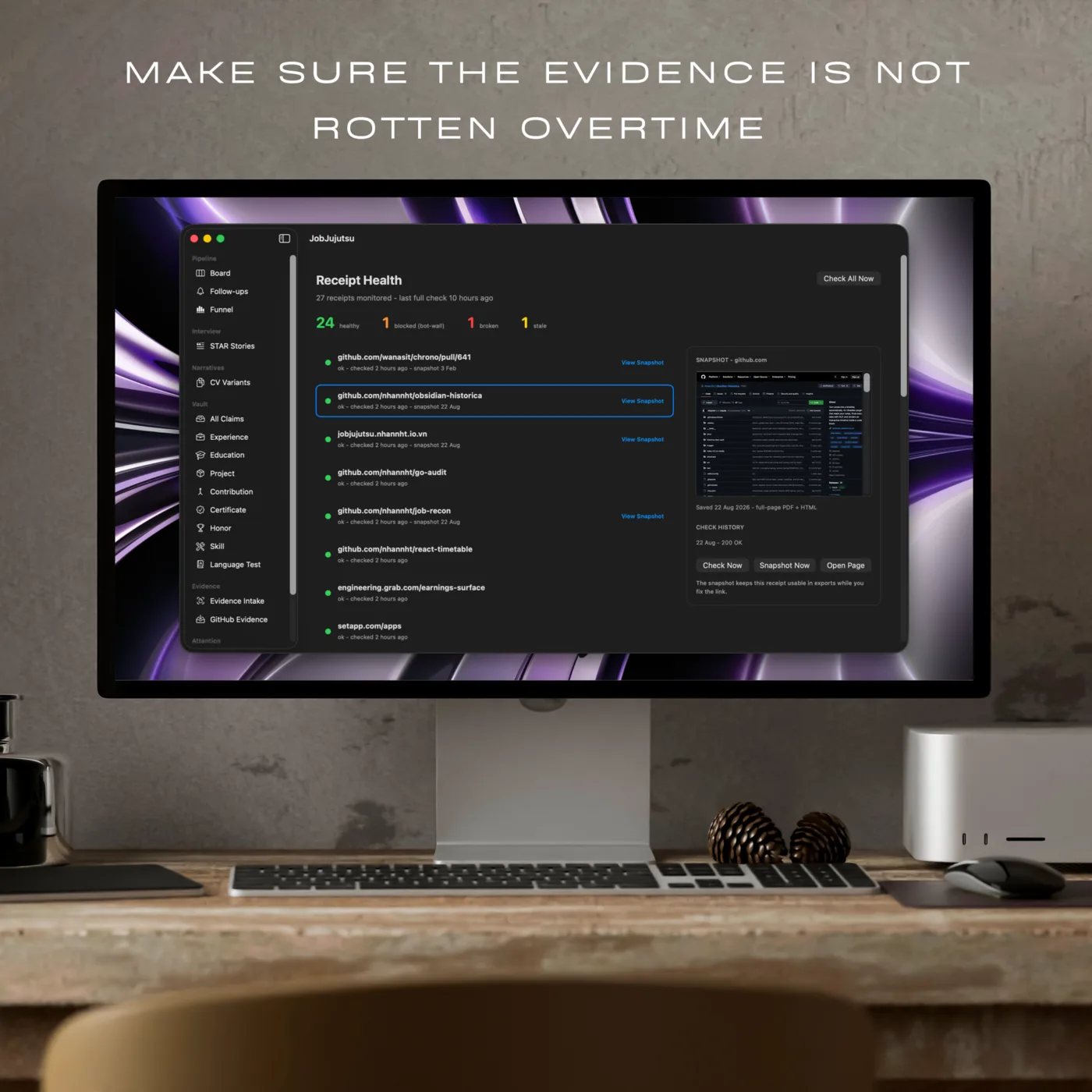
Link rot
Links rot. The vault notices.
Every link your claims lean on gets poked again on a schedule, and the answer is more useful than just up or down.
- Green: opens fine for a stranger, not just for you
- Yellow: still alive, but a robot wall said no
- Red: really gone. Go find a new link
A dead link never quietly downgrades your claim behind your back. You get told, and the saved copy of the page keeps the proof working while you sort out a replacement.
The board
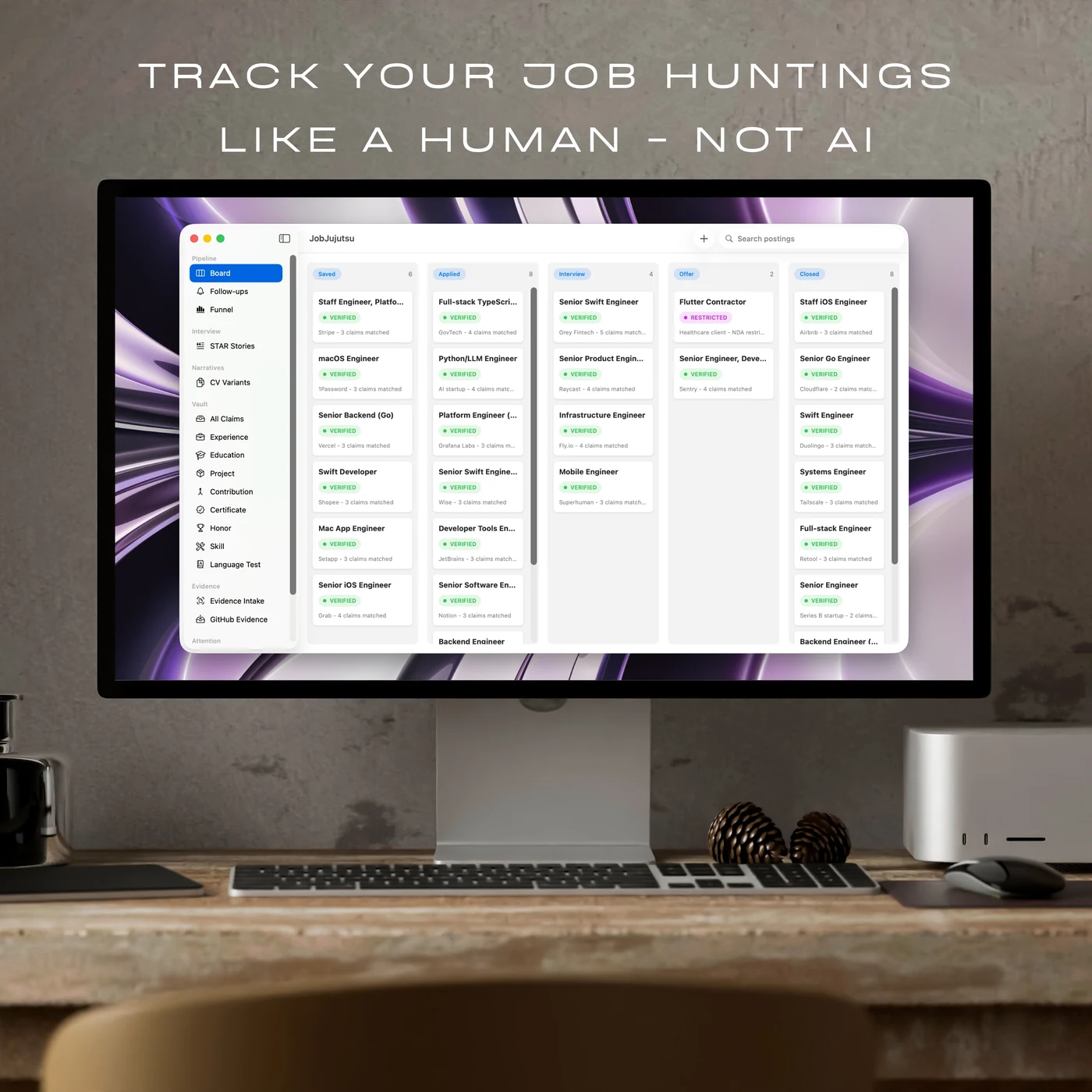
Every application, on one board.
Paste a job ad and it instantly tells you how many of your green claims fit. You know what you can back up before you hit send.
Drag and drop
Saved, applied, interview, offer.
Five columns, one drag to move between them. The move gets written down instead of replacing what was there before, so you can always see how a job got where it is.
The number on a card counts your green claims against that job ad. Same input, same number, every time. No AI guessing whether you would be a good culture fit.
Reminders
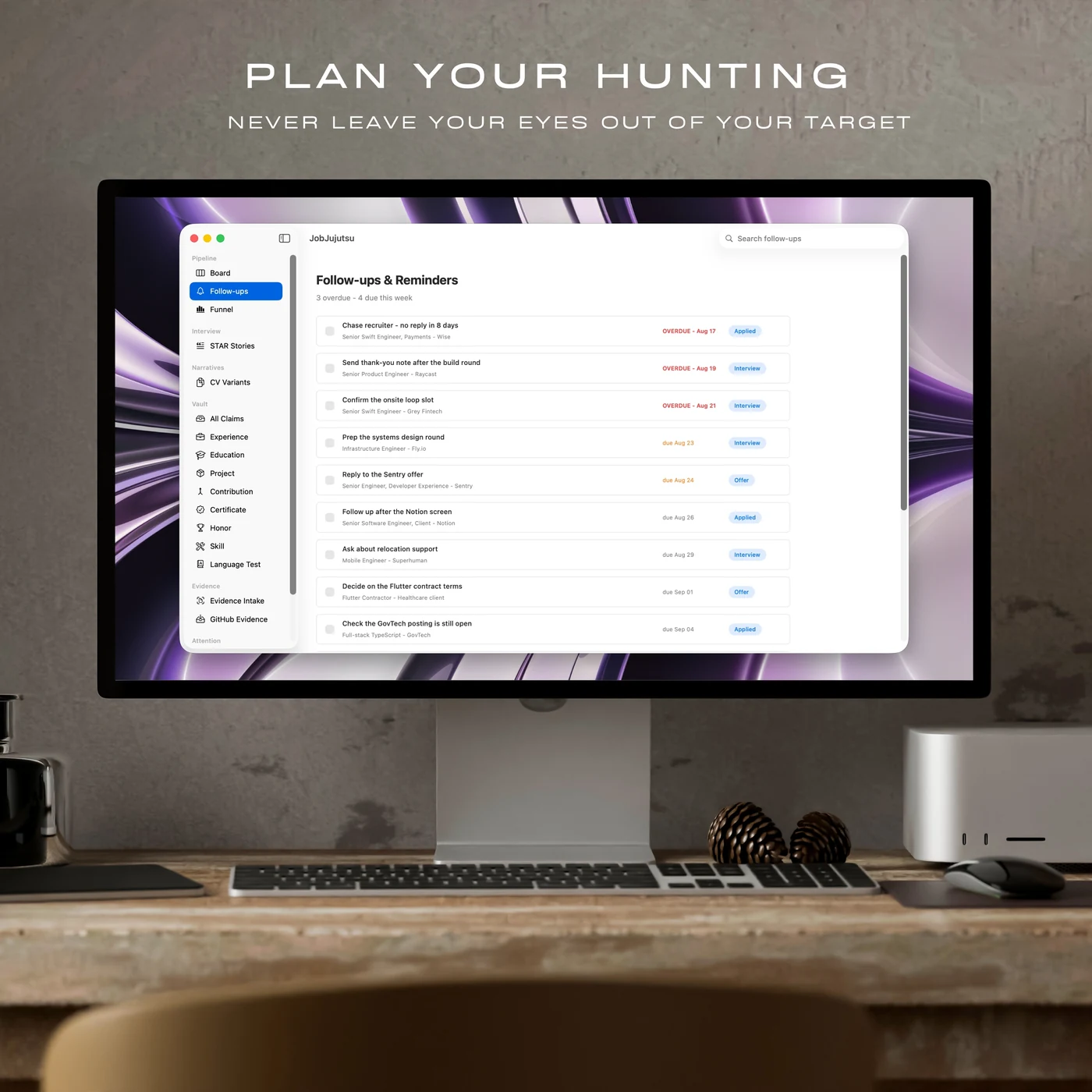
Nothing goes cold on a Tuesday.
A follow-up is a sticky note on a job: chase the recruiter, confirm the onsite slot, answer the offer. When it is due your Mac actually pings you, so an interview slot does not slip past.
Ticking one off keeps the row on screen. Everything you did to chase a job is part of the story of that job, so the app hangs onto it.
Interview prep
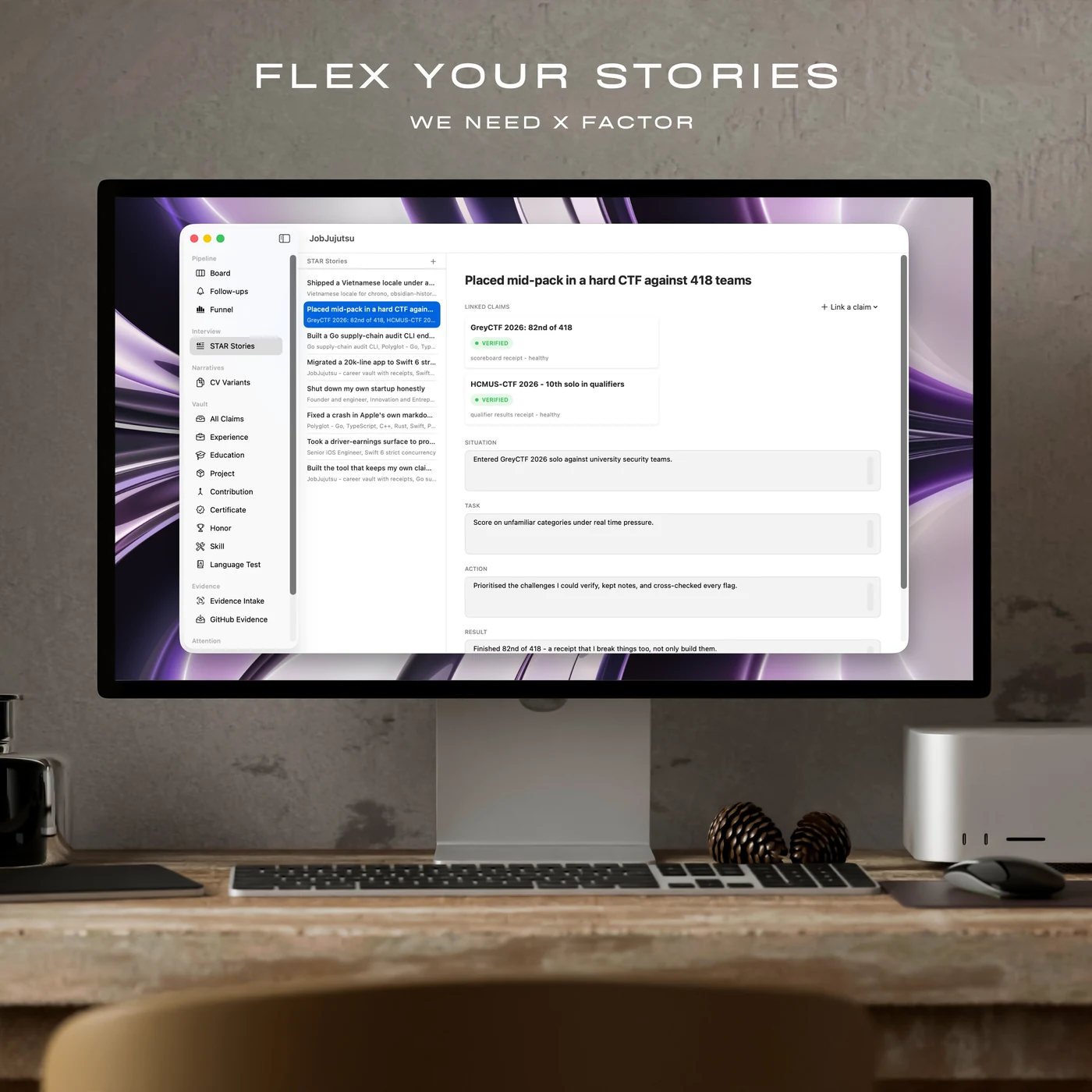
Your best stories, ready to go.
Situation, task, action, result. The four bits every interviewer fishes for. Write the story once and park it next to the proof.
Each story is tied to the claims behind it. Open a job you have applied to and your prep sheet builds itself from the stories that actually fit, so you walk in knowing which three to tell.
The diary
It writes down what you did.
Add a claim, move a card, chase a recruiter, send a CV. Every one of those gets a dated line, automatically, so six weeks later you can just look it up.
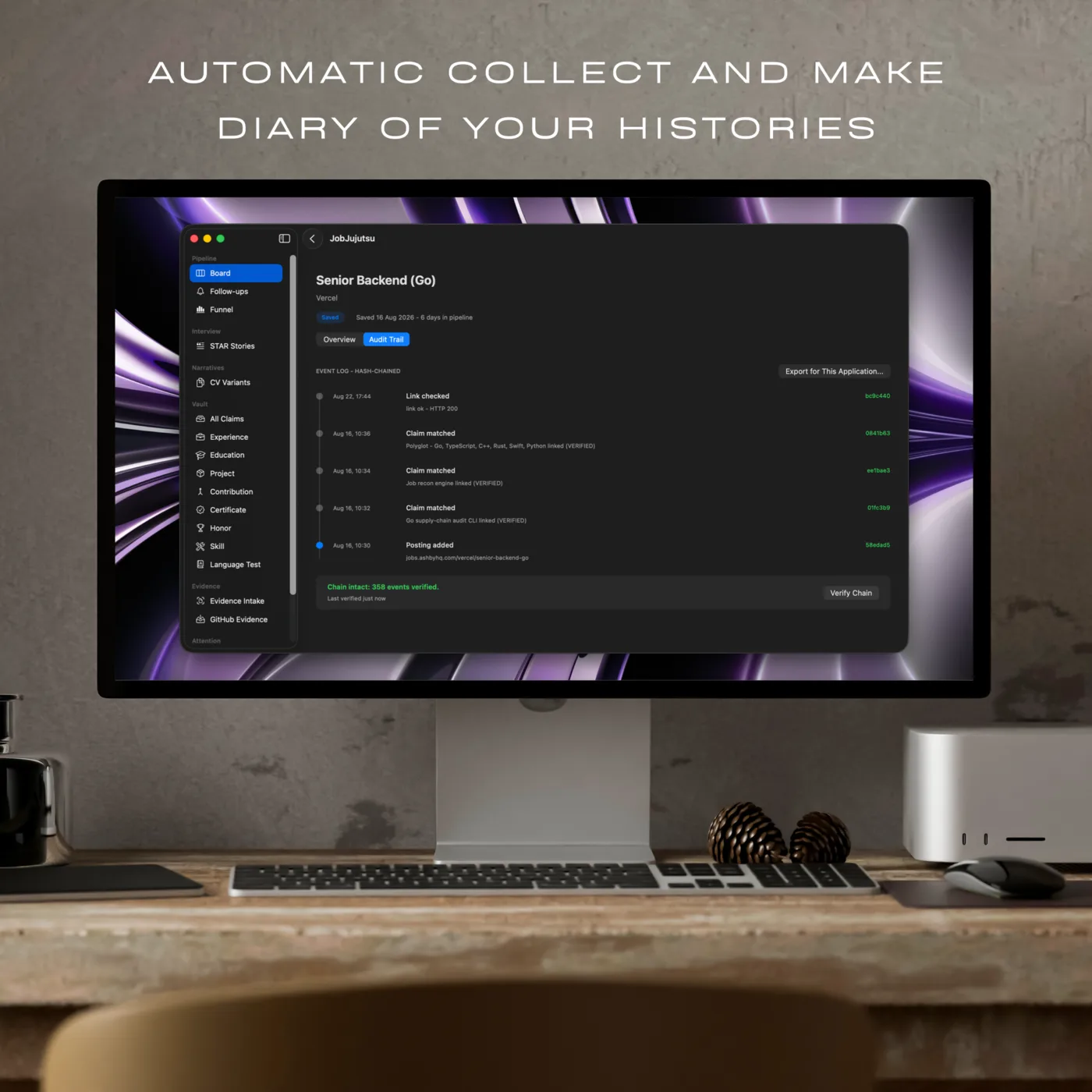
Each line is stamped with a code built from the line before it, so if anything gets edited later the app spots it. Exports get a line too, which means the CV you sent in April is still findable in August.
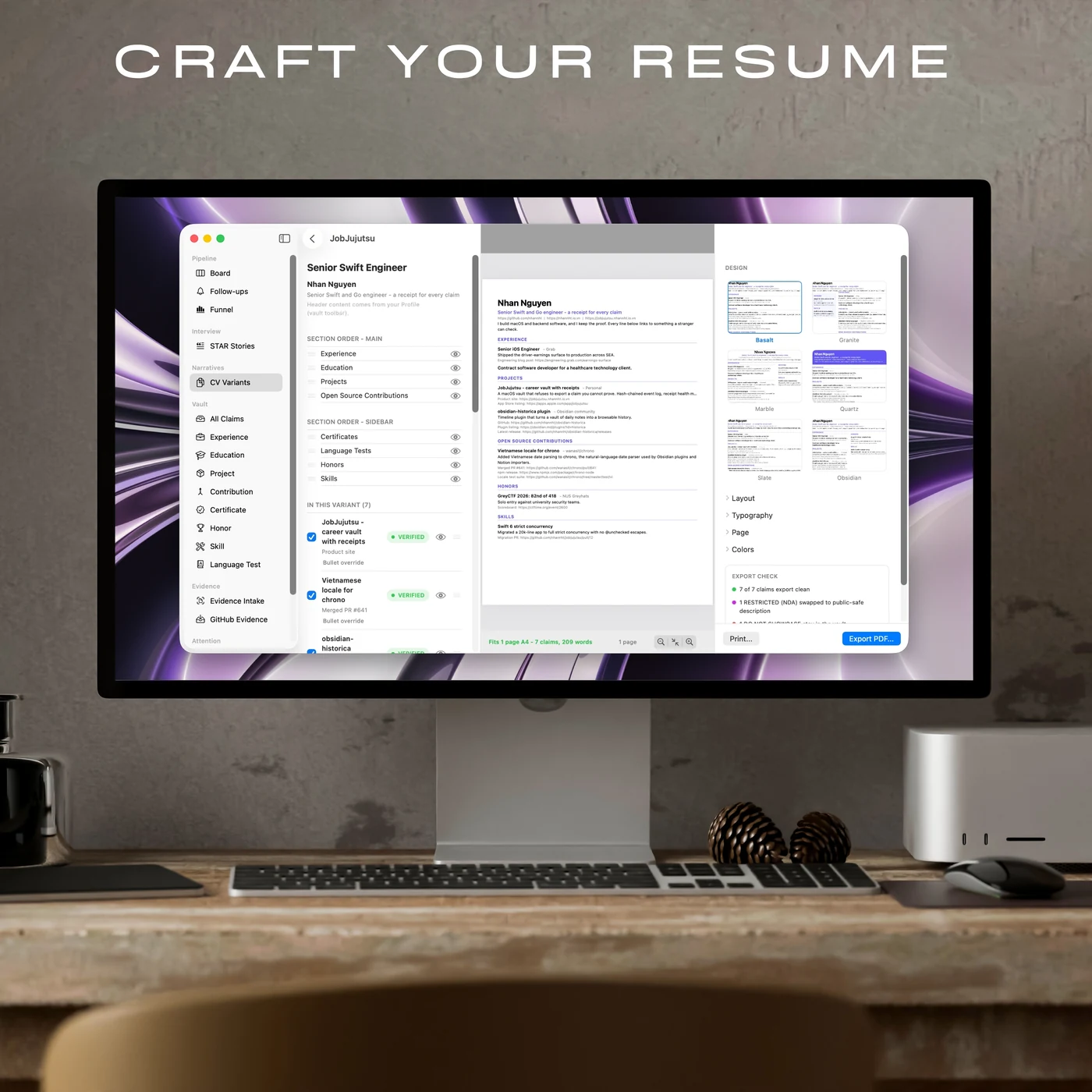
Resume Studio
Six looks. All of them show your links.
Pick a stone, push the layout and fonts around, save a proper PDF with real selectable text. The look is yours to mess with. The proof lines stay in all six.
The builder
You do the styling. It brings the facts.
Drag sections into the order you like, tick the claims you want, and the page redraws as you go. Every entry keeps the little link underneath that proves it.
- Basalt - Single column, modern
- Granite - Left sidebar, adjustable
- Marble - Classic serif
- Quartz - Banner header
- Slate - Dense, one page
- Obsidian - Two balanced columns
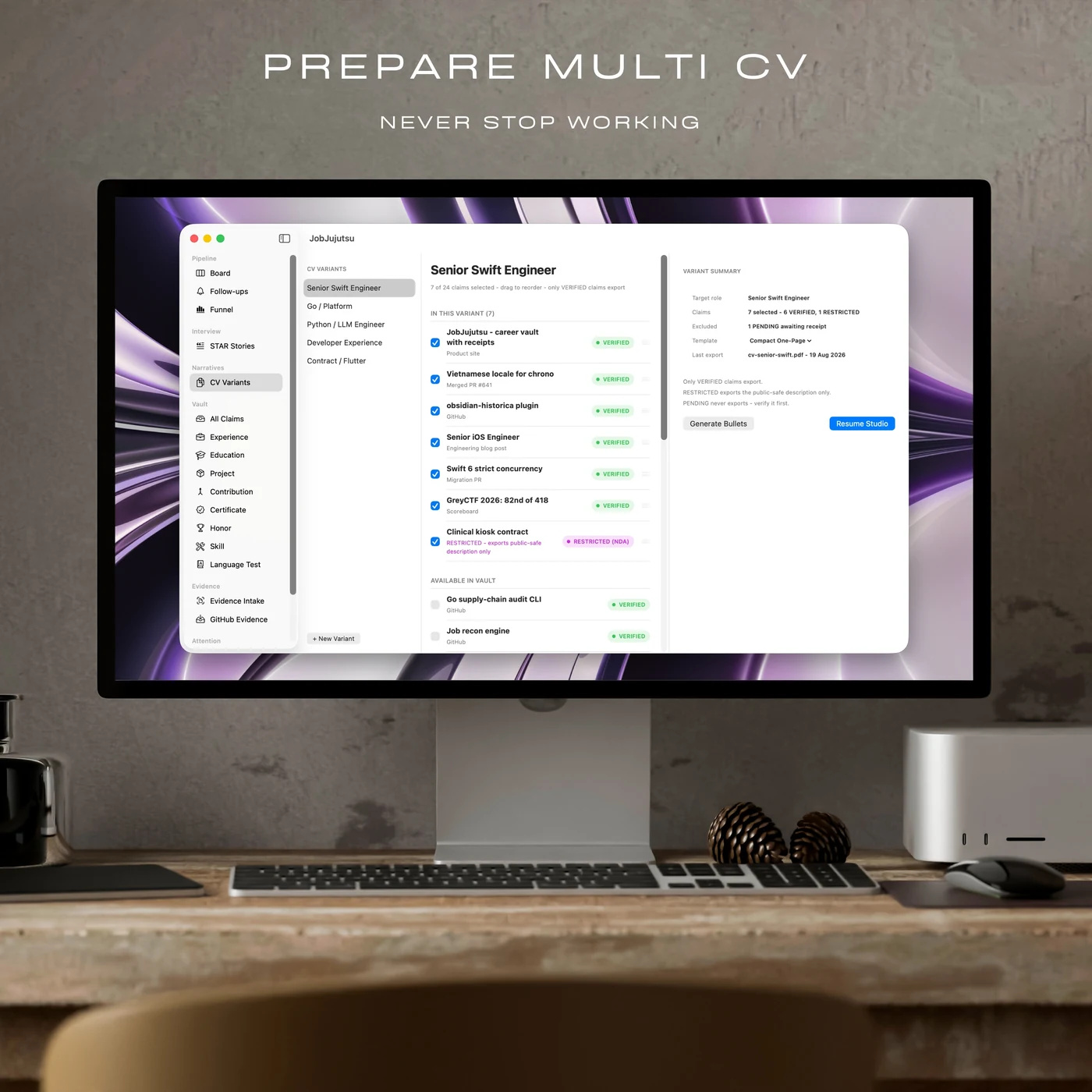
CV variants
A different CV for every job.
A variant is just a set of ticks, so there is only ever one copy of the truth underneath. Fix a date once and all your CVs get it, instead of five files quietly disagreeing with each other.
Remembered something while building? Add it right there. It shows up orange until you find the proof, so you can keep going without quietly promoting a maybe into a fact.
Writing help
It drafts. It does not make things up.
Stuck on a cover letter? Apple Intelligence writes you a first draft on your own Mac, working only from the claims you have already proved.
It stays inside your receipts
Every draft is built out of things you can already back up. If a sentence starts reaching for something you have not proved, you get a flag before it ever reaches an application.
"...led the zero-downtime migration of a 2TB Postgres cluster"
Backed by your claim: Postgres 15 migration
It never leaves your Mac
The writing happens on your own machine, using Apple Intelligence. Your career never becomes training data, and it does not fly off to somebody else's server just to get a paragraph written.
Privacy
Built so we cannot read it.
This app holds your salary notes, your NDA work, and your honest opinion of your own weak spots. That only works if it is yours alone, and that includes keeping it away from us.
It lives on your Mac
Your vault sits on your machine and syncs through your own private iCloud. There is no JobJujutsu server holding your career, and no account to sign up for.
Nothing phones home
No analytics, no trackers, no usage reports. The app only goes online for things you asked for: checking your links, and talking to services you connected yourself.
Backups you actually own
One click gives you an encrypted backup file to keep wherever you like. Restore it on any Mac with the password only you have.
The full details, in plain English: read the privacy policy.
Pricing
Free to keep. Paid to publish clean.
The vault is never capped - your claims and your evidence are yours at every tier. The one thing you buy is a document that goes out unmarked.
Free
$0
The whole app, for as long as you want it. Not a trial.
- The whole vault, uncapped. Every claim, every receipt, every file.
- Pipeline, Resume Studio, STAR stories, evidence intake, audit trail.
- iCloud sync, encrypted backup and restore, agent access over MCP.
- JSON Resume and the four platform presets export clean, always.
- Resume and cover letter PDFs carry a FREE mark and a footer line. The Markdown claim export gets one credit line.
Pro
$49.99USD, once
Buy it once and it stays bought. There is no renewal date.
- Everything in Free, with nothing held back.
- Resume PDFs export clean.
- Cover letters export clean.
- The Markdown claim export drops its credit line.
- One payment, once. No subscription, no renewal, no account to create.
This checkout is a rehearsal. The store is still in test mode, so it takes test cards only and will decline a real one. Nothing is charged and nothing is sold. Buy it from the Mac App Store below if you want it today.
Try the checkout (test mode)JobJujutsu is a macOS application that runs on your own Mac. Buying Pro emails you a licence key you enter once in the app. No subscription, no account to create, and nothing hosted on our side.
Lemon Squeezy, LLC is our merchant of record. They are the seller for this purchase, they handle the payment and any sales tax or VAT due in your country, and their name is what appears on your statement. Terms
FAQ
Things people ask.
Where is my data stored?
On your Mac, syncing through your own private iCloud. There is no JobJujutsu server holding it and no way for us to read it. Backups are encrypted and go wherever you decide to put them.
What counts as proof?
Anything a stranger could go and check for themselves: a public link, a merged pull request, a photo of a certificate, a signed document. Anything without proof stays orange, and orange never slips out quietly.
What happens to NDA work?
Mark it purple. You keep the full story for yourself and for interviews, and every export carries only the short safe version you wrote. Anything marked red never leaves at all.
Does the AI read my stuff?
The writing help runs on your own Mac using Apple Intelligence. Nothing is uploaded for training or processing, and the drafts are built only from claims you have already proved.
Which formats can I export?
Proper PDFs with real selectable text, from any of the six Resume Studio templates. Plus Markdown, JSON Resume, and ready-made presets for the usual job sites. Every one of them goes through the same check.
What do I get when I buy Pro?
A licence key, by email, usually within a few minutes. You enter it once in the app and your exports come out clean from then on. There is nothing to set up, no account to create, and nothing hosted for you.
What do I need to run it?
A Mac on macOS 15 or later. Install the app from the Mac App Store.
Made in Vietnam by Nguyen Huu Thien Nhan. One person, one Mac app, and one rule it will not bend on: if you cannot prove it, it is not going out.